Docs / How the numbers work
How the numbers work
Every number in Roundturn comes from your closed trades, after the fees set on each account. This is how each one is worked out.
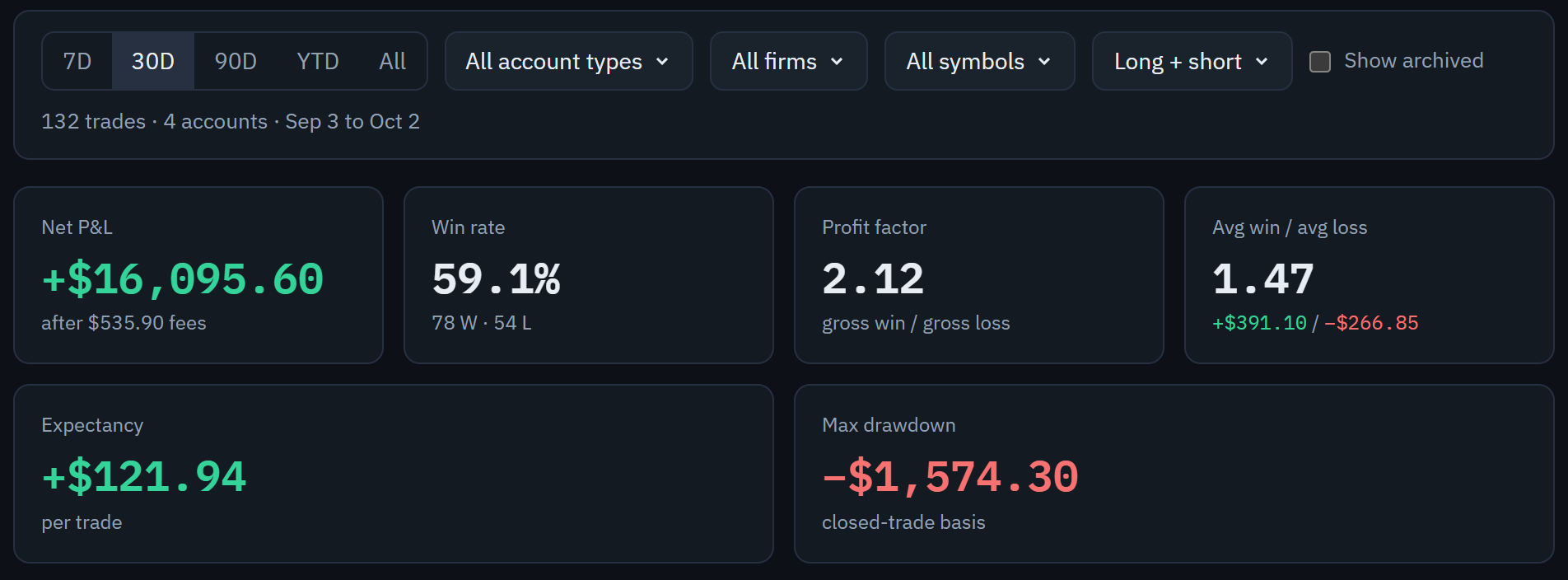
- The date range. The bar narrows everything on the page.
- Show archived brings passed, failed and closed accounts back in.
- Net P&L, after fees.
- Win rate, with the wins and losses it counts.
- Expectancy: what an average trade made.
- Max drawdown, from closed trades.
The definitions
- Net result is what you made after fees. Fees come from each account's Fees tab, which holds a rate for each contract you trade.
- A win is a trade with a net result above zero, a loss below zero. A trade at exactly zero is breakeven and is in neither group.
- Win rate is wins divided by wins plus losses.
- Profit factor is the total won divided by the total lost.
- Avg win / avg loss is the average win divided by the average loss; the two averages are shown under it.
- Expectancy is the net result divided by the number of trades, so it is what an average trade made.
- Max drawdown is the deepest drop of your running total from its highest point so far, counting closed trades only, starting from zero.
The trading day
A trading day starts at 18:00 New York time by default, the way futures sessions do, so a trade entered on Sunday evening belongs to Monday. You can change the start time and its time zone in Settings › Preferences, and existing trades are moved to match.
The filters
The bar at the top of the Dashboard, Trades, Calendar and Reports pages narrows everything on the page: the date range, the account type, the firm, the contract and the direction. Archived accounts are left out unless you turn on Show archived. The choices are in the page's address, so you can bookmark a view.
A trade
A trade runs from flat to flat in one account and one contract: every fill from the first entry until the position is closed. Its fill pairs, each entry matched with the exit that closed it, are listed on the trade's page.