Docs / Importing / Round Turn Monitor
Import from the Round Turn Monitor
The Round Turn Monitor is an add-on for NinjaTrader 8. After every round turn it adds a row to its log, for every account NinjaTrader tracks, and its Export button saves the same rows for one day. Roundturn reads either, and a round turn already imported is never added twice.
- The file
- An Export file, or
RoundTurnLog.csv - In Roundturn
- NinjaTrader: Round Turn Monitor log
- Times
- Your CSV time zone setting
-
In NinjaTrader
Click Export, or use the log
After the session, click Export in the Round Turn Monitor window. It saves the trading day's round turns, for one account or all of them, in the same columns as the log. Or skip it: the add-on writes every round turn to its log by itself, in
Documents › NinjaTrader 8 › RoundTurnLog.
- Export saves the day's round turns as a CSV file, wherever you choose.
-
In Roundturn
Choose NinjaTrader: Round Turn Monitor log
On the Import page, choose the Roundturn account the trades belong to, then Choose files. Roundturn asks where the trades are from.
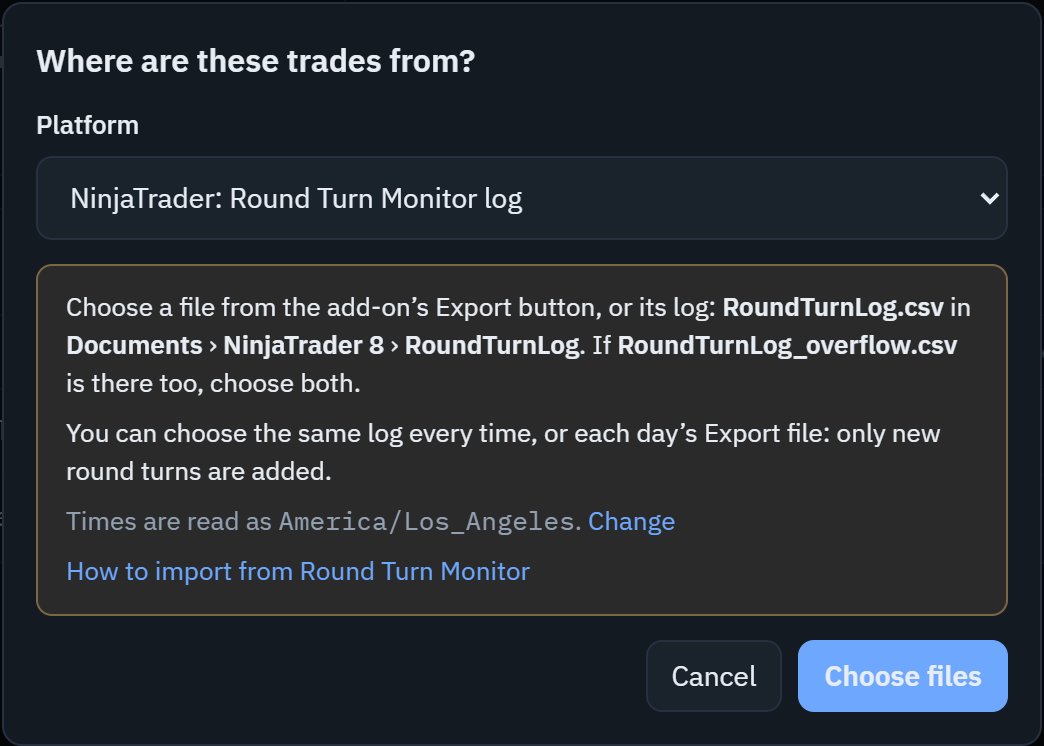
- Pick NinjaTrader: Round Turn Monitor log.
- The reminder: an Export file or the log, where the log is, and which time zone the times are read in.
- Choose files opens your computer's file window.
-
On your computer
Choose the Export file, or the log
Choose the file Export saved. Or go to
Documents › NinjaTrader 8 › RoundTurnLogand chooseRoundTurnLog.csv.If
RoundTurnLog_overflow.csvis there too, choose both: hold Ctrl (⌘ on a Mac) and click each. The add-on writes to the overflow file while the log is open in Excel, so some round turns are only in that file. -
In Roundturn
Pick the trading account, check, and import
One import takes one trading account. An Export file of one account needs no choice. The log, or an Export of all accounts, holds every account NinjaTrader tracks, Sim101 included: the preview picks the account this Roundturn account already holds, or the only real one. Practice accounts (Sim101, Playback, Backtest) are never picked for you.
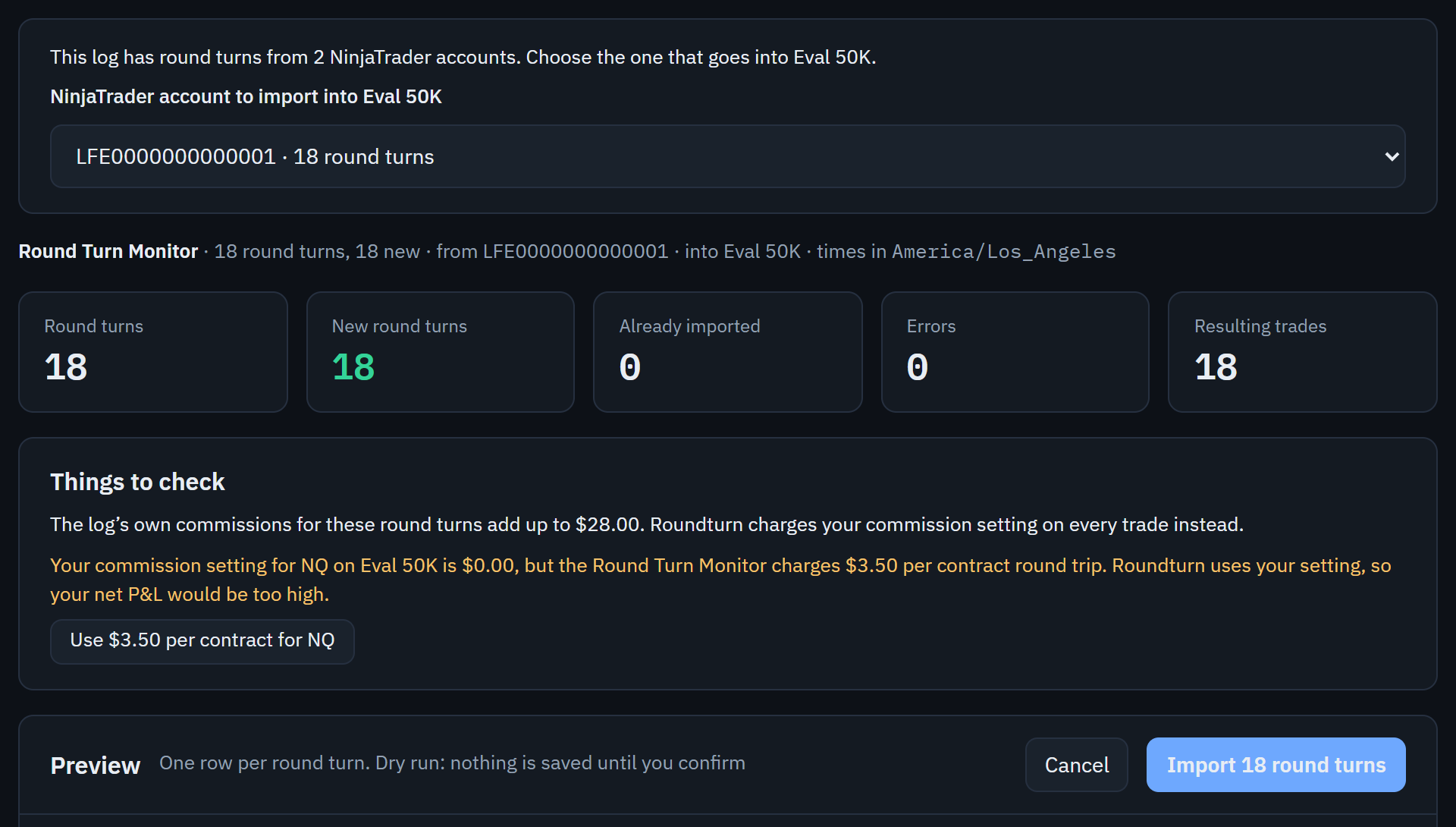
- The trading account that goes into this Roundturn account. Choose another if this one is wrong.
- If your commission setting differs from the rate the add-on charges, one click sets it to the add-on's rate.
- Nothing is saved until you import. Every import can be undone from the import history.
Good to know
- Choose the same log every time, or each day's Export file. Round turns already imported are left alone, and only the new ones are added. A round turn in both an Export file and the log counts once.
- Several trading accounts? Import the log once for each, each into its own Roundturn account. Copied trades can go into several accounts.
- Times are read in your CSV time zone setting (in Roundturn's Settings), because the log writes NinjaTrader's clock without a time zone.
- Commissions come from each account's own commission setting, as for every import, not from the log. Round turns logged before the add-on's rate was set show $0.00 in the log; Roundturn charges them the same as the rest.
If the preview says
- "This log has round turns from 2 accounts. Choose which one to import into this account."
- More than one real account is in the log and Roundturn cannot tell which one belongs here. Pick it in the list.
- "A round turn is missing its other half."
- Part of the log was left out, usually the overflow file. Choose the whole log again, with
RoundTurnLog_overflow.csvif it is there. - "This Export file is from an older version of the Round Turn Monitor, without the contract or commission."
- Exports made before the add-on was updated cannot be read safely: NQ and MNQ trade at the same price. Update the add-on and export again, or choose
RoundTurnLog.csv, which has the same round turns. - "This is the Round Turn Monitor's old log"
- That is the 19-column log of an earlier version of the add-on. Choose
RoundTurnLog.csv, which the add-on writes now.