Docs / Getting started
Getting started
From sign-up to your first reviewed session in four steps. When you first sign in, a short setup walks you through the same steps; this page is here for when you want them again.
-
Settings › Preferences
Check your time zones
Roundturn needs to know two clocks: the one you want times shown in, and the one your files are written in. If the second is wrong, trades land hours off and on the wrong trading day.
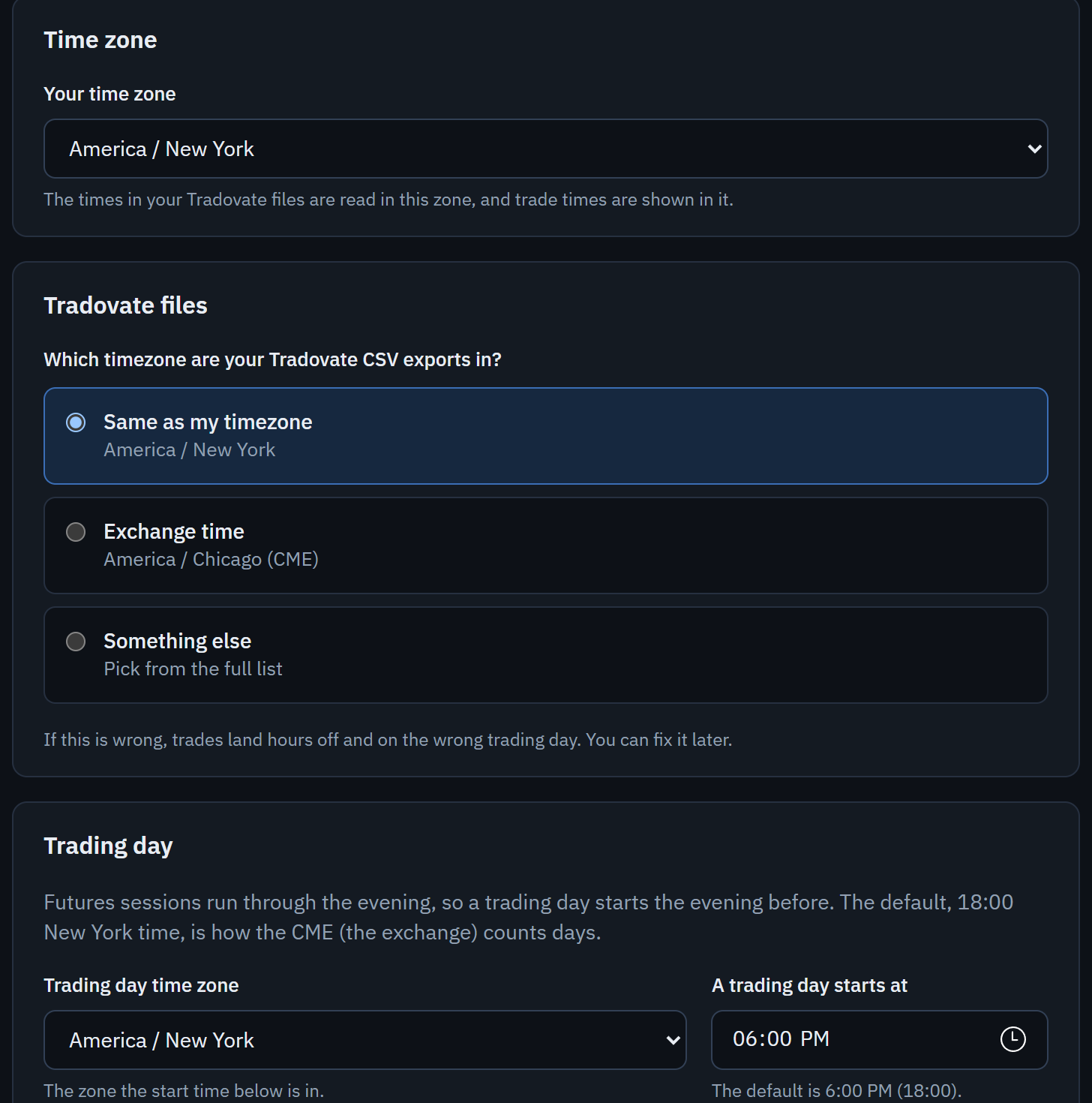
- Your time zone: times are shown in it everywhere in the app.
- Tradovate files: the zone Tradovate's files, and the Round Turn Monitor's log, are written in. TradeSea files name their own zone, so this does not apply to them.
- Trading day: when a day starts. The default is 6:00 PM New York time, the way futures sessions run, so a trade on Sunday evening belongs to Monday. Changing it moves your existing trades to match.
-
Settings › Prop accounts
Add your accounts
Add each evaluation and funded account with + Add account: its name, firm, stage, size, starting balance and the day you bought it. The purchase date matters: it decides which version of the firm's rules applies. What it cost can be added now or later.
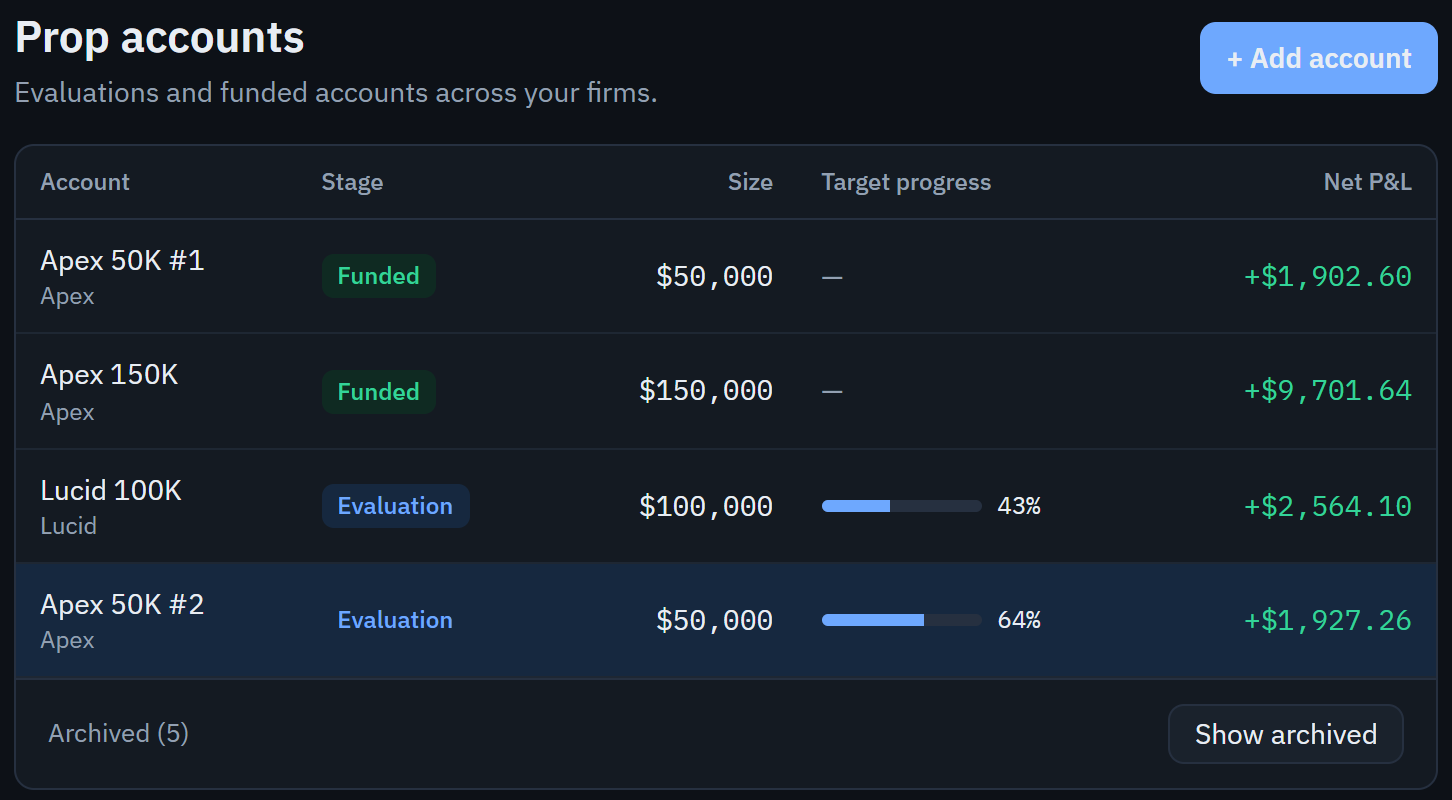
- + Add account. Each account then has its own tabs for fees, rules and payouts.
-
The account's Fees tab
Set each account's fees
Roundturn charges each trade the account's own commission rate for the contract, per contract, round trip. With no rate set, your net P&L is too high; the import preview tells you when the file's commissions differ and offers to use its rate. See Prop accounts and rules.
-
Import
Import your trades
Choose the account, then Choose files, and pick your platform. Nothing is saved until you confirm the preview. Each platform has its guide: Tradovate, TradeSea, Round Turn Monitor.
Then
- The Dashboard and Reports show your results: how the numbers work.
- Open any trade to add a note, tags and screenshots: your journal.
- The Accounts tab checks each account against its firm's rules once you have set them: prop accounts and rules.